
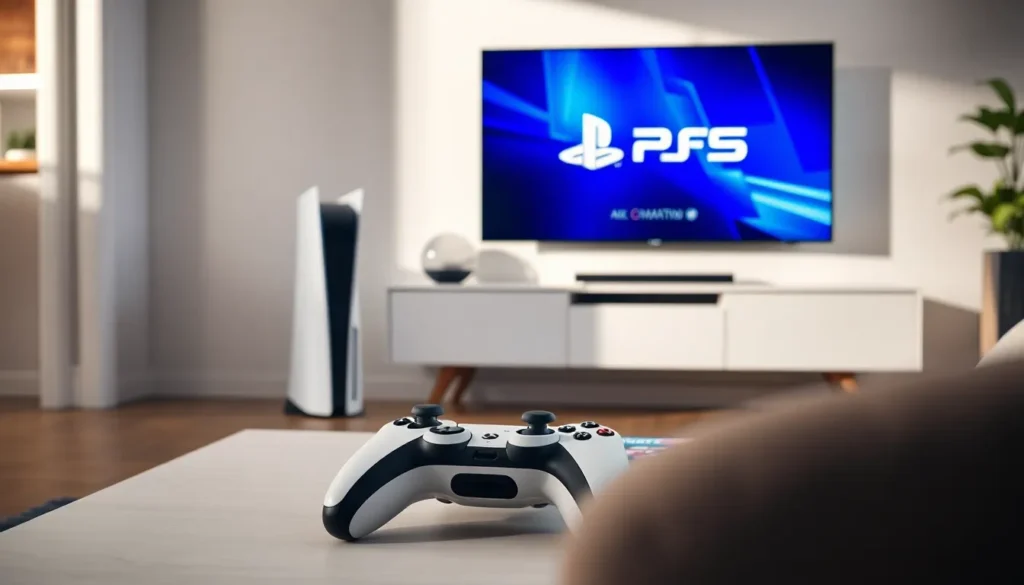

PlayStation for beginners can feel overwhelming at first. With multiple console options, countless games, and a range of features, new players often wonder where to start. This guide breaks down everything a first-time PlayStation owner needs to know. From picking the right console to discovering must-play games, readers will find clear answers to common questions. Whether someone is buying their first gaming system or switching from another platform, this article provides the foundation for an enjoyable PlayStation experience.
Table of Contents
ToggleKey Takeaways
- The standard PlayStation 5 offers the most flexibility for beginners, with disc support, backward compatibility for PS4 games, and access to physical game sales.
- Creating a PlayStation Network (PSN) account with two-factor authentication is essential for downloading games, accessing online features, and connecting with friends.
- PlayStation Plus Essential ($80/year) is practically required for online multiplayer, monthly free games, and cloud save storage.
- Start your PlayStation journey with Astro’s Playroom (free and pre-installed) to learn DualSense controller features like haptic feedback and adaptive triggers.
- Manage your PS5’s 667 GB storage wisely by deleting finished games and considering an external SSD as your library grows.
- Check the PlayStation Store regularly for sales and explore the PlayStation Plus game catalog to save money on acclaimed titles.
Choosing the Right PlayStation Console
The first decision any PlayStation beginner faces is selecting a console. Sony currently offers two main options: the PlayStation 5 and the PlayStation 5 Digital Edition.
The standard PlayStation 5 includes a disc drive. This allows players to buy physical games, watch Blu-ray movies, and resell titles they’ve finished. The Digital Edition costs less but only plays downloaded games from the PlayStation Store.
For most beginners, the standard PS5 offers more flexibility. Physical games often go on sale at retail stores, and players can borrow discs from friends. But, those who prefer an all-digital library and want to save money upfront may find the Digital Edition appealing.
Some beginners consider buying a used PlayStation 4. While the PS4 still has a massive game library, new releases increasingly focus on PS5. Anyone planning to game for several years should invest in the newer console. The PS5 also plays most PS4 games through backward compatibility, giving new owners access to two generations of titles.
Budget matters, of course. A PlayStation beginner should factor in the cost of games, an extra controller, and a PlayStation Plus subscription when planning their purchase.
Setting Up Your PlayStation for the First Time
Setting up a PlayStation takes about 15 to 30 minutes. The process is straightforward, but a few tips can make it smoother.
First, connect the console to a TV using the included HDMI cable. The PS5 supports 4K resolution, so players with a 4K TV will see the best graphics. Plug in the power cable and turn on the system.
The console will prompt users to connect a controller via USB cable. After that, follow the on-screen instructions to select a language, connect to Wi-Fi, and accept the terms of service.
Creating a PlayStation Network (PSN) account is essential. This free account lets players download games, access online features, and connect with friends. Beginners should use a strong password and enable two-factor authentication to protect their account.
The initial system update may take 10 to 20 minutes depending on internet speed. Don’t skip this step, updates include important security patches and new features.
Once the setup is complete, PlayStation beginners can explore the home screen. The interface displays recently played games, the PlayStation Store, and settings. Spending a few minutes familiarizing yourself with the layout pays off later.
Essential Features Every Beginner Should Know
PlayStation offers several features that enhance the gaming experience. New users should learn these early.
PlayStation Plus
PlayStation Plus is a subscription service with three tiers: Essential, Extra, and Premium. The Essential tier costs around $80 per year and provides online multiplayer access, monthly free games, and cloud storage for saves. For any PlayStation beginner interested in online gaming, this subscription is practically required.
The Extra and Premium tiers add a catalog of hundreds of games to download. These higher tiers suit players who want variety without buying individual titles.
DualSense Controller Features
The PS5’s DualSense controller includes haptic feedback and adaptive triggers. Haptic feedback creates realistic vibrations that match in-game actions. Adaptive triggers add resistance, pulling a bowstring or accelerating a car feels different. These features make games more immersive, and PlayStation beginners often cite them as standout surprises.
Rest Mode
Rest mode lets the console download updates and charge controllers while using minimal power. Players can also suspend games and resume exactly where they left off. Enable this feature in settings for convenience.
Screen Sharing and Party Chat
The PlayStation allows players to share their screen with friends or join voice parties. These social features make multiplayer gaming more fun and help beginners get tips from experienced players.
Best Games to Start Your PlayStation Journey
Choosing the right games makes a big difference for PlayStation beginners. Some titles showcase the console’s strengths while remaining accessible to new players.
Astro’s Playroom comes pre-installed on every PS5. This free game serves as both a tutorial and a celebration of PlayStation history. It demonstrates the DualSense controller’s features brilliantly and takes about three hours to complete.
Spider-Man: Miles Morales offers fast-paced action with a compelling story. The combat system is easy to learn but rewarding to master. Swinging through New York City showcases the PS5’s graphics and load times.
Horizon Forbidden West provides an open-world adventure with stunning visuals. Players hunt robotic creatures and uncover a fascinating story. The game includes difficulty options that let beginners adjust the challenge.
Ratchet & Clank: Rift Apart delivers colorful action with creative weapons. The game demonstrates the PS5’s ability to load new environments almost instantly.
For multiplayer fans, Fortnite and Rocket League are free-to-play options. Both games have large player bases and regular updates.
PlayStation beginners should also explore the PlayStation Plus catalog if they subscribe. It includes acclaimed titles like God of War and Ghost of Tsushima at no extra cost.
Tips for Getting the Most Out of Your PlayStation
A few habits help PlayStation beginners maximize their experience.
Manage storage wisely. The PS5’s internal SSD holds about 667 GB of usable space. Modern games can exceed 100 GB each. Delete games you’ve finished and consider adding an external SSD for extra storage.
Check for deals regularly. The PlayStation Store runs sales frequently, with major discounts during seasonal events. Physical retailers also offer promotions. Patient buyers can save hundreds of dollars over time.
Customize your settings. The PlayStation lets users adjust controller sensitivity, audio output, and display options. Spending time in the settings menu helps tailor the experience. Beginners should explore accessibility options too, features like subtitles and colorblind modes make games more enjoyable.
Use the mobile app. The PlayStation App lets players manage downloads, message friends, and browse the store from a phone. Starting a game download remotely means it’s ready when you get home.
Join communities. PlayStation has built-in community features, but external platforms like Reddit and Discord host active groups. Connecting with other players provides game recommendations and troubleshooting help.
Keep the console ventilated. Place the PlayStation in an open area with airflow. Overheating shortens the console’s lifespan. Dust the vents occasionally to maintain performance.


