
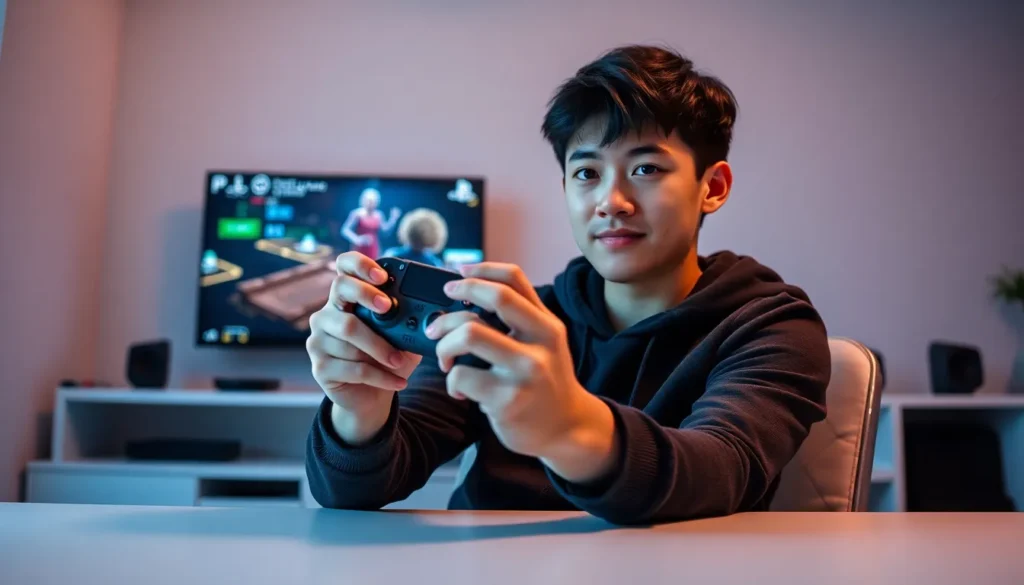

PlayStation techniques separate casual players from skilled competitors. Whether someone plays action games, shooters, or sports titles, the right approach can transform their performance. This guide covers controller mechanics, console settings, gameplay strategies, and practice methods that help players level up their skills.
Many gamers hit a plateau after months of play. They wonder why opponents seem faster, more accurate, or better at reading the game. The answer often lies in fundamentals that most players overlook. Small adjustments to grip, sensitivity settings, and decision-making can produce dramatic improvements.
These PlayStation techniques work across genres and skill levels. New players will build strong foundations. Experienced gamers will discover tweaks that sharpen their edge. Let’s break down each area and show how to apply these concepts right away.
Table of Contents
ToggleKey Takeaways
- Mastering PlayStation techniques like grip style, button remapping, and trigger sensitivity creates a strong foundation for improved gameplay.
- Enable Game Mode on your TV to reduce input lag and gain a reaction-time advantage in competitive matches.
- Study opponent patterns and map layouts to predict behavior and control engagements rather than react to them.
- Use focused practice drills targeting specific weaknesses instead of mindless grinding to build skills faster.
- Record and review your gameplay to identify mistakes and transform losses into valuable learning opportunities.
- Rest and sleep are essential for skill development—quality practice sessions beat marathon gaming every time.
Mastering Controller Mechanics
Controller mechanics form the foundation of every PlayStation technique a player uses. The DualSense controller offers features that many gamers never fully exploit.
Grip and Hand Position
Hand position affects reaction time and accuracy. Players should hold the controller firmly but not tightly. A death grip causes fatigue and slows response time. The thumbs should rest naturally on the analog sticks with slight pressure.
Two main grip styles exist: standard and claw. Standard grip keeps all fingers in their default positions. Claw grip moves the index finger to the face buttons while the middle finger handles triggers. Claw grip allows players to aim and press buttons simultaneously, a major advantage in shooters and action games.
Understanding Trigger and Stick Sensitivity
The DualSense adaptive triggers provide haptic feedback that changes based on in-game actions. Players can adjust trigger sensitivity in console settings or within individual games. Lighter trigger pulls reduce input delay for shooting games.
Analog stick tension matters too. Some players prefer stiffer sticks for precision aiming. Others want looser sticks for faster camera movement. Third-party thumb grips add height and texture, improving control during extended sessions.
Button Remapping
PlayStation allows custom button assignments through accessibility settings. This PlayStation technique helps players optimize layouts for their play style. For example, mapping jump to a shoulder button in platformers keeps thumbs on the sticks. Racing game fans often swap acceleration to a different trigger for comfort.
Experimentation is key here. Players should try different configurations and stick with changes for at least a week before judging results.
Optimizing Your Console Settings for Better Performance
Console settings affect visual clarity, input lag, and overall responsiveness. These PlayStation techniques ensure the hardware works at its best.
Display and Video Output
Players should match console output to their TV or monitor’s capabilities. A 4K display should receive 4K signals when possible. But, competitive players often prioritize frame rate over resolution. Performance modes in many games offer 60fps or 120fps at reduced visual quality.
HDR settings require calibration. The PS5 includes an HDR calibration tool that walks users through optimal brightness and color settings. Incorrect HDR can wash out images and make enemies harder to spot.
Game Mode and Input Lag
Every TV adds processing delay between controller input and on-screen action. Game Mode disables post-processing effects and reduces this lag significantly. Players should enable Game Mode on their display before any competitive session.
Some monitors display input lag in milliseconds. Numbers below 10ms feel nearly instant. Anything above 30ms creates noticeable delay that hurts reaction-based gameplay.
Audio Settings
Sound provides critical information in many games. Footsteps, reload sounds, and environmental cues reveal opponent positions. The PS5 Tempest 3D AudioTech creates spatial awareness through compatible headsets.
Players should use headphones over speakers for competitive play. Adjusting in-game audio mix often helps, raising effect volume while lowering music makes important sounds clearer. These PlayStation techniques give players information advantages that translate directly to wins.
Advanced Gameplay Strategies
Technical settings only go so far. Advanced PlayStation techniques require mental skills and strategic thinking.
Reading Opponent Patterns
Every player has habits. Some opponents always rush. Others camp specific spots. Smart players observe patterns during early rounds and exploit them later. In fighting games, this means noticing which attacks opponents favor. In shooters, it means tracking patrol routes and timing pushes.
Keeping mental notes during matches builds this skill. After dying, players should ask what the opponent did and whether they can predict similar behavior next time.
Resource and Economy Management
Many games include resource systems, ammunition, health items, special abilities, or in-game currency. Top players track these resources constantly. They save powerful abilities for critical moments instead of wasting them on easy encounters.
Economy management matters in team games too. Coordinating purchases or ability usage with teammates creates advantages that individual skill alone cannot match.
Positioning and Map Knowledge
Map awareness separates good players from great ones. Learning spawn points, sight lines, and choke points takes time but pays dividends. Players should study maps outside of matches using custom games or online resources.
Positioning means placing characters where they have advantages, cover, height, or escape routes. The best PlayStation techniques combine map knowledge with smart positioning to control engagements rather than react to them.
Adapting Mid-Match
Rigid strategies fail against adaptive opponents. Players should recognize when their approach isn’t working and switch tactics. This might mean changing loadouts, adjusting aggression levels, or targeting different objectives. Flexibility wins games that raw skill cannot.
Effective Practice Methods for Skill Development
Practice without purpose wastes time. Structured practice builds skills faster than mindless grinding.
Focused Drills
Players should identify specific weaknesses and target them directly. Poor aim? Spend 15 minutes daily in training modes focusing only on accuracy. Slow reactions? Practice scenarios that require quick decisions under pressure.
Many games include training modes, aim labs, or practice arenas. These PlayStation techniques isolate skills without the pressure of live matches. Players can repeat difficult actions until they become automatic.
Review and Analysis
Recording gameplay reveals mistakes that players miss in real time. The PS5 can capture recent gameplay with a button press. Watching recordings shows positioning errors, missed opportunities, and repeated bad habits.
Players should watch their deaths specifically. What led to each failure? Could different decisions have changed the outcome? This analysis transforms losses into learning opportunities.
Rest and Recovery
Skill development requires rest. Playing while fatigued reinforces bad habits and slows improvement. Players should take breaks every hour and stop sessions when frustration builds.
Sleep consolidates motor learning. A player who practices, sleeps, and returns the next day often performs better than someone who grinds for hours straight. Quality practice beats quantity every time.
Community Resources
Online communities offer guides, tutorials, and coaching. YouTube videos break down advanced PlayStation techniques for specific games. Discord servers connect players with mentors and practice partners. Reddit communities share tips and answer questions.
Learning from better players accelerates improvement. Watching high-level streams shows what optimal play looks like. Players can then apply those observations to their own games.


